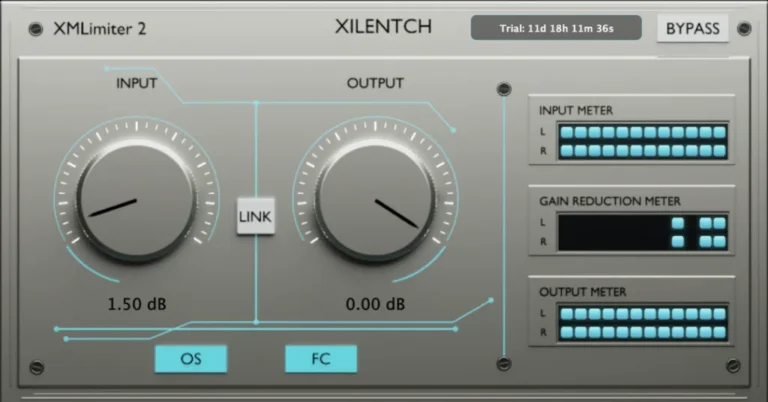
XMLimiter 2 is not a classic feedforward limiter. It doesn’t rely on constant parameters like attack and release. Instead, XMLimiter 2 monitors and analyzes the entire signal, like a detective, at every moment in time.
This atomic-level tracking allowed us to achieve the main thing: no sensation of dynamic suppression, no narrowing of the stereo base, no blurring of transients, no pumping… Just transparent limiting.
However, it’s important to understand that depending on the source material, some reactions are inevitable. For example, some solo instruments, like piano, may sound different. Some of your 808s or sub-bass instruments may sound perfect, while others will distort. It depends entirely on the source material.
However, the feedback we received from the engineers who helped us during the beta testing phase helped us realize something important: if you’re using XMLimiter 2 as a final limiter on the master output and you’re hearing distortion at certain points when you reach your desired volume level, then the problem is most likely in your mixing stage.
In this case, we recommend installing an equalizer directly before XMLimiter 2 and performing the necessary balancing. Or use it however you prefer—the choice is yours.
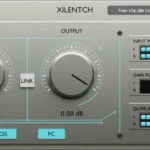
OS button
By default, x16 oversampling is enabled. This advanced filter type is one of our latest technologies. We recommend using it when mastering. It can be disabled for individual tracks.
At this stage, protection against intersample ISP peaks is maintained. However, dBTP is a completely different matter. We didn’t want to sacrifice signal transparency or create additional CPU load for the sake of a “true peak.”
FC button
(FC) stands for “Final Ceiling.” If you’re not using sequential limiting, we recommend leaving this feature enabled. Otherwise, peak readings may go out of range.
If you use serial limiting, disable it and let XMLimiter 2 do its work in the intermediate signal chain.
But we should also note that the frequency modulation cascade is unique. We developed it specifically for the XMLimiter 2. It’s designed to capture spikes.
LINK Button
The LINK button is located between the two controls. When enabled, LINK allows you to simultaneously adjust the input and output controls in opposite directions, helping maintain a balanced overall level.
INSTALLATION
* UNINSTALL/REMOVE ANY PREVIOUS VERSION BEFORE INSTALLING!
- Copy to your plugins folder.
- Run the keygen (as Admin) & REGiSTER.
> Try & BUY if you like this app/plugin.
> Always support the developer.
- Download Xilentch – XMLimiter 2 v. 2.0.0 VST3,AAX x64 [19.10.2026](MOCHA)
- Original Publisher: Xilentch
- Version: v2.0.0
- Format: VST3, AAX
- Category: VST Plugins
- Require: Windows 10+
- License type: Full
- Download Size: 37.5 MB