

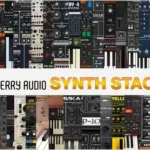
Synth Stack 6 combines 36 award-winning virtual instruments from Cherry Audio at a surprisingly affordable price! Synth Stack 6 includes the DCO-106, CA2600, Surrealistic MG-1 Plus, Polymode, Eight Voice, PS-20, Memorymode, Mercury-4, Quadra, Dreamsynth, Miniverse, Lowdown, Elka-X, Sines, GX-80, Mercury-6, Novachord + Solovox, Octave Cat, Harmonia, PS-3300, Pro Soloist, Synth Expansion Module, CR-78 Drum Machine, Rhodes Chroma, Wurlybird 140B, Blue3 Organ, Atomika, and P-10.
The 2025 list of new releases includes popular virtual instrument drum machines: the KR-55C, Yellowjacket, ODC2800, Crumar Spirit, Trident Mk III, and the all-new Mercury-8.
In total, this includes 28 vintage synthesizer emulations; three original synthesizers; two legendary drum machines, an electric piano, and a tonewheel organ; a massive modular synthesizer platform; and over 12,000 professionally designed presets!
Included
- Atomika
- Blue3 Organ
- CA2600
- Chroma
- CR-78
- DCO-106
- Dreamsynth
- Eight Voice
- Elka-X
- GX-80
- Harmonia
- KR-55C
- Lowdown
- Memorymode
- Mercury-4
- Mercury-6
- Mercury-8
- Miniverse
- Novachord
- Octave Cat
- ODC 2800
- P-10
- Polymode Synthesizer
- Pro Soloist
- PS-20
- PS-3300
- Quadra
- Sines
- Solovox
- Spirit
- Surrealistic MG-1 Plus
- Synthesizer Expander Module
- Trident
- Wurlybird 140B
- Yellowjacket
- Download Cherry Audio – Synth Stack 6 SAL, VSTi, VST3i, AAX x64 {R2R} [11/27/2025]
- Original Publisher: Cherry Audio
- Version: @025
- Format: VSTi, VST3i, AAX, Standalone
- Category: Virtual instruments and synthesizers
- Require: WIN 7+
- License type: Full
- Download Size: 3.46 GB

These don’t work.
Let me clarify, they load, but they don’t show in the DAW. and if you go to use the standalone you get errors about missing dll files.
They load, but it seems you need to get the dll files from this package. TEAM.R2R.Network.Block.Runtime.v2.3.0-R2R
ill give it a shot thanks
1.Click InstallALL
2.Go to – C:UsersYOURNAMEAppDataRoamingCherryAudio
(You will find here all installed instruments)
3.Search all installed plugins here:
C:Program FilesCommon FilesVST3Cherry Audio
4.Copy and paste one to one every VST3 to the main folder like
Instruments main folder:
C:UsersYOURNAMEAppDataRoamingCherryAudioAtomika
(Copy and paste Atomika.vst3 to Atomika folder)
Repeat it copy and paste every vst3 to the main folders —
for example Mercury8.vst3 to Mercury8 main folder etc…
5.When you are ready with all than copy the whole “CherryAudio” folder and paste to your VST3 folder.
6.Open Ableton – Options – Settings – Plugins – Rescan
100% Works
Good producing to everyone 🙂
All I did was run the ‘Install_VST3.cmd’ file and everything works at least in FL Studio.
get the runtime files here and install it,then run the vst.
https://pixeldrain.com/u/GrrycpSa
1.Click InstallALL
2.C:\Users\YOURNAME\AppData\Roaming\CherryAudio\
(You will find here all installed instruments)
3.Search all installed plugins here:
C:\Program Files\Common Files\VST3\Cherry Audio\
4.copy and paste one to one every VST3 to the main folder like
Instruments main folder:
C:\Users\YOURNAME\AppData\Roaming\CherryAudio\Atomika\
(Copy and paste Atomika.vst3)
Repeat it copy and paste every vst3 to the main folders —
for example Mercury8.vst3 to Mercury8 main folder etc…
5.When you are ready with all than copy the whole “CherryAudio” folder and paste to your VST3 folder.
6.Open Ableton – Options – Settings – Plugins – Rescan
100% Works
Good producing to everyone 🙂
1.Click InstallALL
2.Go to – C:UsersYOURNAMEAppDataRoamingCherryAudio
(You will find here all installed instruments)
3.Search all installed plugins here:
C:Program FilesCommon FilesVST3Cherry Audio
4.Copy and paste one to one every VST3 to the main folder like
Instruments main folder:
C:UsersYOURNAMEAppDataRoamingCherryAudioAtomika
(Copy and paste Atomika.vst3 to Atomika folder)
Repeat it copy and paste every vst3 to the main folders —
for example Mercury8.vst3 to Mercury8 main folder etc…
5.When you are ready with all than copy the whole “CherryAudio” folder and paste to your VST3 folder.
6.Open Ableton – Options – Settings – Plugins – Rescan
100% Works
Good producing to everyone 🙂