I use v8.7.2 and can “install” the library using 5.6 but receive a “file not currently installed error” when attempting to load the library in v8.7.2 – even after aligning the SNPID numbers.
yaya
2 months ago
yeah they picked one of the best libraries to screw up, CANT INSTALL IT AND KONTAKT WONT RECOGNIZE it WHAT A MIND SCREW
yaya
2 months ago
can you tell us how to install this, it wont add it, there is no install file and the lib tool wont add it, IM CONFUSED!!!!!! HOW is this supposed to work
yaya
2 months ago
can you guys try to get this again, there is nothing like this out there, PLEASE TRY TO GET A VERSION THAT WORKS
Andreas
2 months ago
It seems that if you have Kontakt 8 v8.8.0, you can go to Manage Libraries on the left, click the Launch Library Tool button, and add the .nicnt file. At least for me, it worked this way.
Use the Kontakt Button and select the “Add Library” function. Then scroll to the folder where you’ve saved your libraries. Bob Dule Kontakt offers additional accessories, one of which is the Kontakt Button. Or go to C:\Program Files\Native Instruments\Kontakt\Data\Add Library.exe
or
C:\Program Files\Native Instruments\Kontakt\Kontakt_Button.exe. Make a shortcut and place it on your desktop. There is also a standalone version of add library .exe.
Andreas
2 months ago
these are the steps I made and worked. restart the daw after these and you will see it in the library.



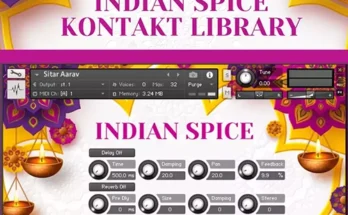

I double clicking the .nicnt file but when I open kontakt 8 version 8.8.0, I cannot find it. what can I do? thanks
same thing for me !!!
It should be 18 gigs in size and not 8. Are the samples missing or ?
I use v8.7.2 and can “install” the library using 5.6 but receive a “file not currently installed error” when attempting to load the library in v8.7.2 – even after aligning the SNPID numbers.
yeah they picked one of the best libraries to screw up, CANT INSTALL IT AND KONTAKT WONT RECOGNIZE it WHAT A MIND SCREW
can you tell us how to install this, it wont add it, there is no install file and the lib tool wont add it, IM CONFUSED!!!!!! HOW is this supposed to work
can you guys try to get this again, there is nothing like this out there, PLEASE TRY TO GET A VERSION THAT WORKS
It seems that if you have Kontakt 8 v8.8.0, you can go to Manage Libraries on the left, click the Launch Library Tool button, and add the
.nicntfile. At least for me, it worked this way.can you explain that to me, how your adding it from the Library tool successfully? the steps that would help everyone on here
Use the Kontakt Button and select the “Add Library” function. Then scroll to the folder where you’ve saved your libraries. Bob Dule Kontakt offers additional accessories, one of which is the Kontakt Button. Or go to C:\Program Files\Native Instruments\Kontakt\Data\Add Library.exe
or
C:\Program Files\Native Instruments\Kontakt\Kontakt_Button.exe. Make a shortcut and place it on your desktop. There is also a standalone version of add library .exe.
these are the steps I made and worked. restart the daw after these and you will see it in the library.
steps