

Vienna Synchron is a dedicated sample player with a built-in audio engine. Combining signals from multiple microphones with multiple note variations and velocity levels for each articulation can quickly lead to quite a large number of voices and CPU load. Vienna Synchron features the most powerful sample playback engine available, delivering unprecedented streaming performance and a new level of ease of use.
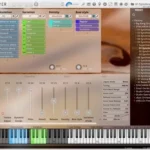
- Download VSL – Vienna Synchron Player v1.3.2652 (Incl. Emulator) VST, VST3, AAX x64 {R2R} [11/27/2025]
- Original Publisher: VSL
- Version: v1.3.2652
- Format: VSTi, VSTi3, AAX
- Category: Virtual instruments and synthesizers
- Require: WIN 10+
- License type: Full
- Download Size: 211.9 MB
Hi Please how to Install and Add Library to the player ?
Follow the prompts and install Synchron player with emulator and all. Add library: There are two files, one is the library itself (a large file) that you can place somewhere on an external disk. Just create a folder, call it Vienna library for example and put the syvolume extension there. The other file is an R2R file with numbers. Place it in: “C:\PROGRAMDATA\VSL\Vienna Synchron Player\R2R\”
First, launch VSLEMU CacheBuilder. You’ll see a shortcut on your desktop. You’ll receive a notification, and then launch Synchron Player. In the preference settings, you’ll need to specify the path where the library is located on your external drive. Then point to the folder, close Synchron Player, and restart it. You’ll need to start CacheBuilder first, then the player.
I see nothing in preference settings to specify the path.
to be honest i didn’t need any preference settings
Look at the top on the right. There is a cockwheel,click on it and go to Database. When you click on Database you ‘ll see User presets folder. Browse by clicking on the three dots and specify the path.
Thank you
Will synchron pianos also be released?
Something most installation instructions don’t list is –
Don’t forget to click on the + button on the bottom right when you open the player and select what folder you have the libraries in. Otherwise they will not show up.
Would be great to haveVSL Studio Jazz Drums