Atrium combines a high-quality acoustic simulation engine and an intuitive interface that allows you to create a virtual space according to your design in seconds – and it will always sound great.
Convex Audio’s next-generation Atrium Reverb is an acoustic space modeling plug-in that delivers realistic and immersive sound with minimal effort and maximum customization flexibility.
Why Atrium?
Atrium offers the perfect combination of high-quality, realistic reverb, ease of use, and maximum customizability. Atrium also offers advanced features such as cross-instance synchronization and much more.
But most importantly, Atrium is a complete solution for reverb, stereo positioning, stereo width, and depth perception.
No combination of panning, stereo positioning tools, and conventional reverbs can create such a convincing stereo field, room feel, and depth perception as Atrium.
Atrium does all this while remaining easy to use and maintaining the maximum customizability and flexibility of algorithmic reverbs.
Creating your own acoustic space is simple:
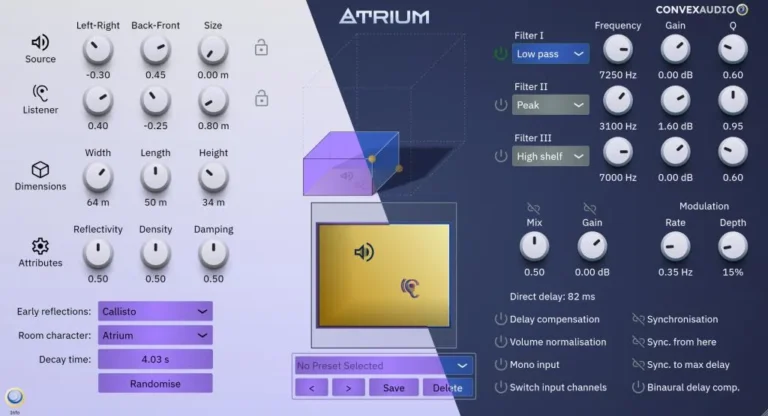
drag the room to the desired location, position the sound source and listener, and enjoy the result, which takes into account stereo positioning, stereo width, and depth information.
Use the advanced controls to further customize the sound and make it unique, or try ready-made presets.
Sync
With Atrium’s Sync feature, you can easily place multiple instruments or other sound sources in a single room. Use this feature to quickly and intuitively create a realistic and cohesive room experience, including a sense of direction and depth for each individual instrument. This significantly saves time when working with more complex setups and ensures a complete overview at all times.
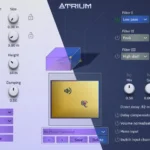
Atrium’s Sync feature makes it easy to track instruments placed in different locations. “Light” theme demo.
Simply add an Atrium instance to each audio source you want to place in your room and click the “Sync” button. Enable sync on the instance you want to work with, and the room configuration will be synchronized across all enabled instances. Monitor the operation of up to 16 synchronized instances using a 2D room view.
Additional Features
- Multi-layered preset manager with a variety of great-sounding rooms of different shapes and sizes.
- Resizable graphical interface to fit different screen sizes and preferences.
- 3 parametric filters to adjust color and resonance, as well as reverb pitch modulation for more creative purposes.
- Self-documenting user interface. Hover your mouse over any control and a tooltip will appear at the bottom of the screen with a brief description of its function.
- Random button for instant and easy inspiration and experimentation.
- Control over early reflections, various room attributes, and much more!
Thanks to its flexibility and ease of use, Atrium fits into any workflow and is suitable for any project requiring high-quality reverb or precise stereo positioning. Whether it’s music production, film and game sound design, podcasting, or anything else related to audio processing, Atrium delivers superior sound, quickly and easily.
- Download Convex Audio -Atrium v1.2.0 VST3 x64 [12/18/2025](MOCHA)
- Original Publisher: Convex Audio
- Version: v1.2.0
- Format: VST3
- Category: VST Plugins
- Require: Windows
- License type: Full
- Download Size: 5 MB