
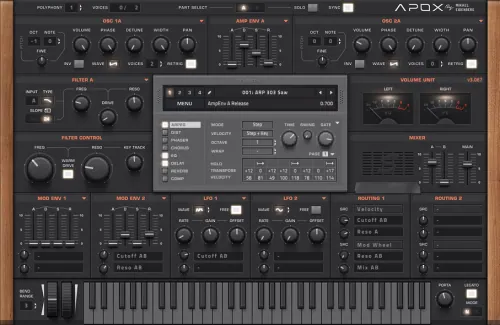
Sylenth1 is a virtual analog VSTi synthesizer that takes the definitions of quality and performance to a new level. Until now, very few software synthesizers have been able to match the sound quality standards of hardware synthesizers. Sylenth1 is one of those that do.
Sylenth1 isn’t just another synthesizer. It was built with a producer’s perspective in mind. It was created to create the highest quality sound and music. It was designed for performance. Extensive research was put into achieving an unknown warmth and clarity. The graphical interface provides the highest level of usability, allowing you to fully unleash your creativity.
What’s new in version 3.075
- Fixed an issue with detecting Windows 11 debuggers.
- Fixes crashes using V2 OSC engine noise.
- Fixes a hang when editing presets in Reason VST3.
- Fixed an issue with deactivating automation in Ableton.
- Fixes text input for automation values.
- Improved loading speed.
- Fixes minor skin issues in Kautschuck and Scott-Kane dark colors.
- Fixes issues with the AAX version.
- Download LennarDigita l – Sylenth1 v3.0.75 Fixed VSTi, VSTi3, AAX x64 [4.05.2026](R2R)
- Original Publisher: LennarDigital
- Version: v3.0.75
- Format: VSTi, VSTi3, AAX
- Category: Virtual instruments and synthesizers
- Require: Windows 10 & R2R System
- License type: Full
- Download Size: 102.1 MB
mac osx
Missing files… any updated links?
lycence key plz
Release Sylenth1 v3 for Mac, please!! Thank you
Thanks!
Correct download size, it’s a 102.1 Mb.
thanks! updated
Please Admin
I requested Mixed In Key Wingman
Please give me
R2R-Process doesn’t work. Followed all the instructions, When you try to “drag and drop the license file”, it fails…
The same thing happens with me. R2R has released a fixed version, but the same thing still happens to me (not accepting the License.dat file). I also tried the previous v3.0.73, same thing. The crack is very similar, but the same thing happens with it, the successful creation of Activation.dat and License.dat files, but not accepting License.dat. I work constantly in offline, blocked web addresses in host file, Win 10 22H2 and Studio One v.5.5.2.
It definitely works. Insert the license into the box where activation is requested. So, exactly in the middle of Sylenth. R2R’s products all work excellently. You are making mistakes and are inclined to blame R2R. Furthermore, make sure your torrent is disabled when you use R2R’s activation. Place the file you downloaded on your desktop and activate everything from there.
That’s what I did, I set the license to the middle of Sylenth. In the R2R manual, it says to select close and close the window after creating the Activation.dat file.
Closing produces the opening of the initial window (with a text box for entering the serial number or license).
After that, switch to R2R KeyGen, enter the name and press the Generate button (inside KeyGan). Then it asks to open the Activation.dat file. When the Activation.dat file is specified, a License is created in the form of a License.dat file, in the same folder. However, when I try to drag and drop into the window (with serial number or license), it is not accepted, without any notification. Simply, it is not possible to do a drop, which logically means that License.dat is not correct.
What you do that leads you to success, I don’t know. I have described to you what I do. Maybe there is a mistake hidden there, I can’t determine. I did this several times, and the result was always the same. I’m not the only one who has faced such an outcome, go to the audioz page related to that plugin, and you will see that many people have the same experience. I don’t know what magic is required to accept License.dat?
I would completely uninstall Sylenth with Revo. Completely, that is. Then start over. When you press close while the activation file is being generated, a box will remain. Leave that alone and go to your keygen. Then locate the activation.dat file and generate the license. You then need to place that license in the box of the Sylenth GUI. So, the same box that asks for activation or serial.
I did all.
I checked all places except registry, and I tried to place license.dat in the Sylenth GUI, but without success. The license.dat was not accepted. Thanks for reply.
Wow, maybe insufficient permissions. Then try manually placing the licence.dat in %PUBLIC%\Documents\LennarDigital\Sylenth1\Config\License.dat.
Then try to manually place license.dat in:%PUBLIC%\Documents\LennarDigital\Sylenth1\Config\License.dat
@bille Thank you for reply and wish to help me. I tried to manually copy License.dat to: %PUBLIC%\Documents\LennarDigital\Sylenth1\Config\
but this not change anything.
Sylenth1 remained unlicensed. The same window appeared with a text box for entering the serial number. This of course means that something is wrong with the License.dat file. No error is reported during its creation. Thanks again for your help.
bullshit r2r
missing the serial code
in ru tracker you need to find the 3.073 repack.That version works.
i don’t know how to find old uploads here
where is the serial keygen?