
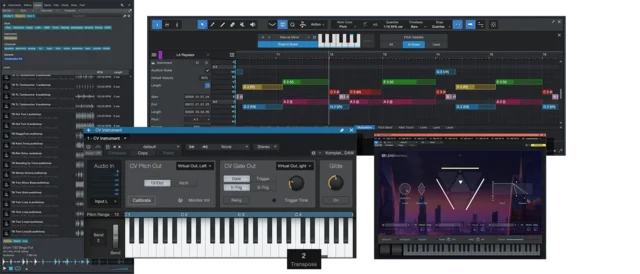
Content for Studio One 7 Pro
All content from the Pro+ subscription for Studio One 7 Pro
Studio One Pro+ gives you unlimited access to all the Studio One Pro plugins and add-ons we sell, including CTC-1 Pro Console Shaper, Retro Mix Legends, Ampire High Density Pack, and many more.
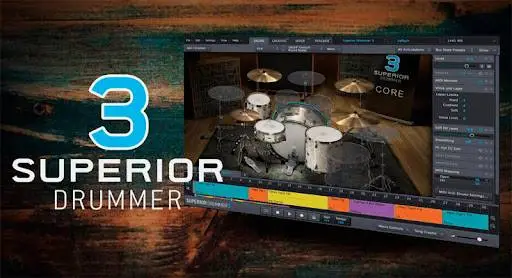
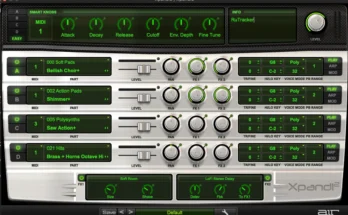
A bundle of apps (Splice, Stem Separation), demos, instrument sounds and loops are included in Studio One 7 Pro.
Installation
Soundset
Move to any location on the disk, then specify the path to them “Options–Locations– Sound Sets” and restart the DAW.
Splice|Stem Separation
Move the *win program files to the open DAW window, confirm the installation and restart the program.
The Deep Flight One virtual instrument is HERE!
A witch says
** This release contains all currently available Studio One components that are not included in the core Studio One Pro version. **
- Download PreSonus – Studio One Plus Content 2024 [R2R] [WIN|MAC|LIN] [01/02/2025]
- Original Publisher: PreSonus
- Format: SOUNDBANK
- Category: Sound Libraries
- Require: Studio One 7 Pro
- License type: Full
- Download Size: 171.91 GB

Stem Separation Tool says “not valid license”
It was a pain in the ass. There are several possible solutions. I did the following when I got the message: ” invalid signature “. Extract the file with 7-zip. Remove the xlm (HTML) Signature. Copy and paste the folder “Stem Separation” to the installation directory of Presonus in Program Files and in the folder: “Extensions”. Start Presonus and test it by dragging a song in your DAW. The shortcut for Stem Separate is Ctrl + U.
Wow thx. Works!!!
use the PreSonus Sphere Manager from R2R it works
As I said, there are several solutions. If you have installed Presonus with sphere manager you can just add content in the GUI of Presonus. If you have installed Presonus without sphere manager and used the DLL from the previous version 7.01 , you have to do it manually as I described before. Likewise, you can add Splice manually in the folder “Extensions” by extracting it with 7-zip.
splice says “log in or crate a free account”
splice is installed correctly, but when i want to drag and drop some preset, it says ” log in or create a free account” and does not allow you to use anything, Can anyone help me?
It’s the same for me and for everyone else I guess. You have to create a Splice account to be able to use it as intended. Otherwise you have just a few samples to listen to and you are not able to use them in your project. I never tried sites like Splice but there is some kind of free trial registration which should do the trick
same for stem i guess, right ?
Yes , exactly the same problem !!! and where i should place library ? ( which folder ? ) i don’t understand where i should place it …
ok keep calm. Go drive C. Go Presonus. Go Studio One. Go Extensions and paste Stem separate. So easy.
The entire content (library) can be put on an external drive. When you start Presonus you have to specify the location in the “Options” menu (audio) and let Presonus add and scan the content. With Splice you can make a free subscription. With Presonus, you can also create an account. It sometimes asks you to log in. Just click that screen away. If it persists, log in. Make sure you have not blocked Presonus. It is best to install Presonus with sphere manager. This is the way to do it.
To install Presonus 7.02, you need to uninstall the old version 7.01 first. Uninstall it thoroughly with Revo uninstaller. If you have installed Presonus 7.02 with a DLL from version 7.01 uninstall it . Manually delete the folders of Presonus in ProgramData and AppdataRoaming.
Temporarily disable your anti-virus, make sure Presonus is not blocked in your host or firewall. If so, unblock it. Now install Presonus 7.02. Close . Now install Sphere manager. Run “Install Magic 7 .
Run “Subscription – Renew. Close Sphere manager and now start Presonus. Drag and drop Stem Separation to the GUI of Studio One.
Splice you must pay for it
Copy and paste the folder “Stem Separation” to the installation directory of Presonus in Program Files and in the folder: “Extensions”. Start Presonus and test it by dragging a song in your DAW. It works by this way..
Thx Fred , but it asks me to log in to Presonus website again …should i use PreSonus Sphere Manager from R2R after ? thx
I installed the entire Presonus package with Presonus Sphere and didn’t ask me anything about Stem Separate. But it’s rare, Splice asks me to log in to Presonus website. Mmmmm
Presonus Full Sound Package R2R 72Gb days ago released would be excellentay
172Gb
link please
Thankyou!
Splice,Stem Separation missing
Why wasn’t stem separation added?
The solution that worked 100% for me:
—————————————-
1 – Uninstall all versions of “Studio One”, “Sphere Manager” and “Fender Studio Pro”.
2 – Install “Studio One 7.2.3” (Don‘t open it yet)
3 – Install “Sphere Manager v2.0.0”
4 – Click “Subscription – Renew”
5 – Click “Install Magic – Studio One 7”
—————————————-
6 – Install Fender Studio Pro 8
7 – Install Sphere Manager v3.0.0
8 – Click “Subscription – Renew”
9 – Click “Install Magic – Studio Pro 8”
—————————————-
Both Studio One and Fender Studio software will be installed successfully.
You can delete Studio One if you wish, or you can use both together.
This worked for me 2, the first time I tried it, I had already been using S07 v2.3, so just followed the second step. thanks