
The best VST plugins for free are Vital for synth sounds, Spitfire LABS for sampled instruments, TDR Nova for EQ, Valhalla Supermassive for reverb, and Voxengo SPAN for metering. If you like designing sounds, start with Vital. If you write songs and need a believable piano or strings, start with LABS. If you mix in FL Studio or another DAW, the three effects cover most of what a basic mix needs. Each one is free from its developer and loads in any host that supports VST3.
Most free plugin lists make the same mistake. They hand you thousands of archive entries, and many are abandoned 32-bit VST2 files that will not load in a current DAW. You do not need 500 plugins. You need one good synth, one instrument library, an EQ, a reverb and an analyzer, all stable and all legitimately free. This article gives you that set, explains what each plugin does and where it falls short, then shows how to install them in FL Studio.
At Audios Torrent we follow plugin and software releases regularly. Every pick below is a plugin that its developer gives away, so you can download it from the official page without any license worries.
1. Vital for wavetable synth sounds
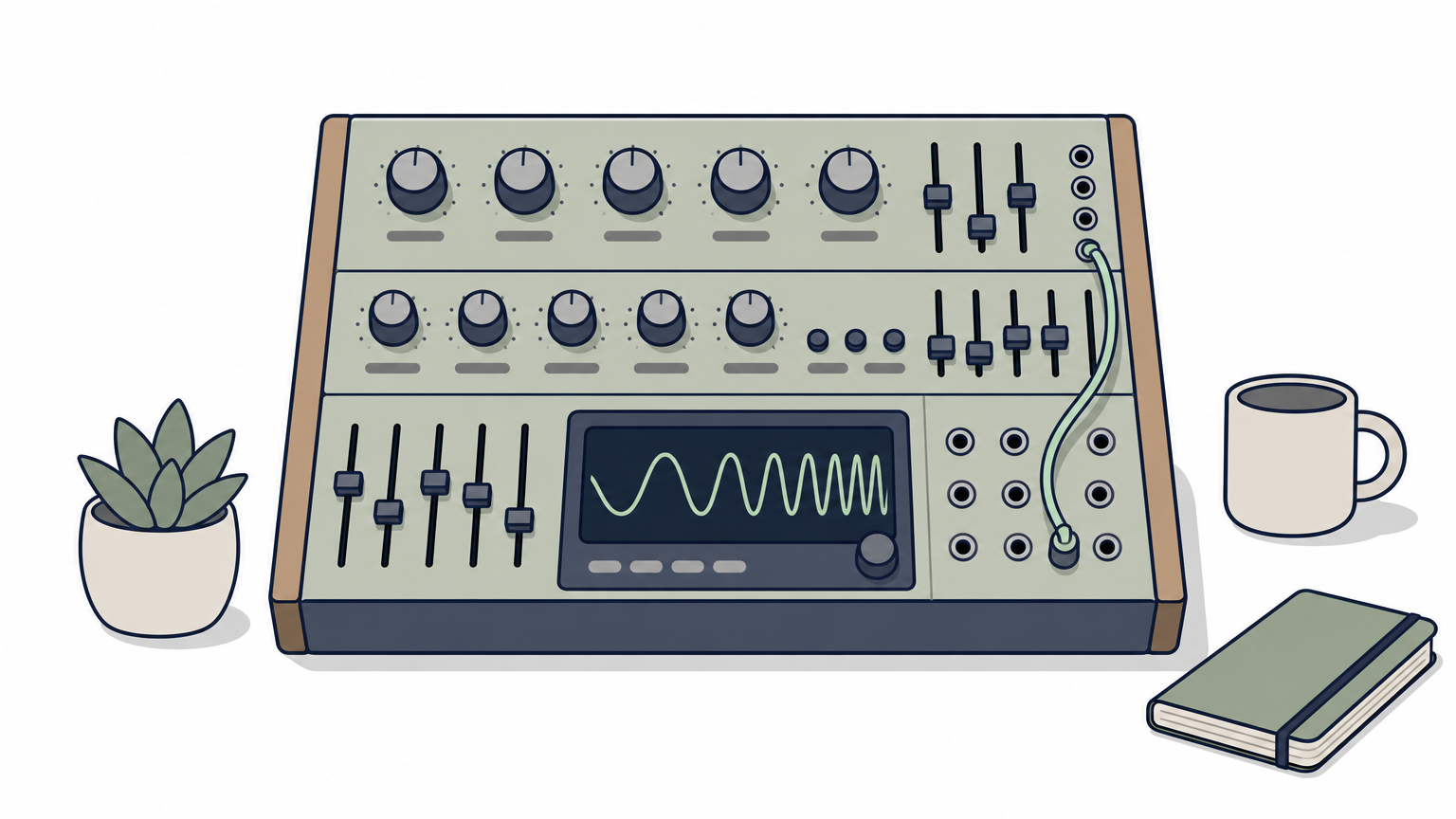
Vital is the free synth to install first if you want modern basses, pads and leads. It is a wavetable synthesizer made by Vital Audio, designed by Matt Tytel, who also created Helm. It sounds like a paid synth and teaches you real sound design as you use it.
What it does
Vital generates sound from wavetable oscillators, which let a tone morph smoothly between different shapes over time. That morphing is what gives dubstep growls, evolving pads and bright pluck leads their movement. You get three wavetable oscillators plus a sample oscillator, two filters, and built-in effects such as reverb, delay, chorus and distortion.
- Runs as a VST3 plugin on Windows and macOS, and as a standalone app.
- The free tier has a smaller preset and wavetable library than the paid tiers.
- Modulation shows live on the interface, so you see which knob moves what.
Vital gives you a full wavetable synth for nothing, and the only thing the free tier limits is the size of its library.
Who it suits
Vital suits electronic producers, beatmakers and anyone who wants to build their own patches. Beginners can browse presets first, then open a patch and change one control at a time to hear what it does.
The limit is the smaller free library. You will get more out of Vital if you learn to build sounds yourself rather than scrolling for presets, and the plugin makes that easy.
2. Spitfire LABS for sampled instruments
Spitfire LABS is the best free source of realistic sampled instruments, such as soft pianos, strings and textures. It is made by Spitfire Audio, and it fills the gap that a synth cannot, which is real instruments recorded in real rooms.
What it does
LABS is a collection of instruments that you download one at a time. You get them through the free Spitfire Audio app after signing in with a free account, then play them inside the LABS plugin. The interface is deliberately simple, with a few knobs for tone and space, so you can get a usable sound in seconds.
- Available as VST3, AU and AAX on Windows and macOS.
- Each instrument is a separate download, so you only store what you use.
- Check free disk space before you grab several instruments.
LABS gives you a convincing piano or string sound in a couple of clicks, with almost nothing to learn.
Who it suits
LABS suits songwriters, lo-fi and ambient producers, and anyone scoring video who needs warm acoustic textures. A soft piano under a drum loop does more for a track than another synth layer.
Do not expect a full orchestral toolkit or deep editing. LABS is for sketching and finishing simple ideas quickly. When you outgrow it, you will know exactly which paid library you want.
3. TDR Nova for dynamic EQ
TDR Nova is the free EQ to use when a normal EQ cannot fix a problem. It is a dynamic equalizer from Tokyo Dawn Labs, so each band can react to the signal instead of cutting all the time.
What it does
A normal EQ cuts a frequency by the same amount whether the sound is loud or quiet. Nova has four bands, and each can act as a static or a dynamic band. It also works in stereo, left/right or mid/side modes. It runs as VST, VST3, AU and AAX on Windows, macOS and Linux.
- Four bands, each switchable between static and dynamic behavior.
- Mid/side processing for treating the center and the sides separately.
- A paid version, Nova GE, adds more features for people who want to upgrade later.
A dynamic EQ cuts a problem frequency only while it is a problem, which keeps the rest of the sound natural.
Who it suits
Nova suits anyone mixing vocals, bass or full tracks. A typical example: a vocal turns harsh around 3 kHz only on loud phrases. Set one band there as a dynamic cut, and it tames those phrases while quiet ones stay bright.
It takes more thought than a basic EQ because you set a threshold as well as a frequency. Learn the static bands first, then add dynamics where you hear a problem that comes and goes.
4. Valhalla Supermassive for reverb and delay
Valhalla Supermassive is the free reverb to pick for big, lush spaces and long echoes. It is made by Valhalla DSP and combines reverb and delay in one plugin, so it covers ambient washes and spacious vocal tails.
What it does
Supermassive offers several modes that range from smooth reverbs to modulated delays, all built for large sizes and long decay times. It runs as VST, VST3, AU and AAX on Windows and macOS. In FL Studio, load it on a mixer insert and use it as a send effect so several channels can share one space.
- Works well for pads, vocals, guitars and sound design.
- Easy on the CPU, so you can run it on a send without trouble.
- Mix control and decay length are the first knobs to adjust.
Put reverb on a send instead of on every track, and your mix stays clearer and your CPU stays calmer.
Who it suits
Supermassive suits ambient, electronic and cinematic producers, and anyone who wants a vocal to float behind the lead. Songwriters can also use it for a long echo on the last word of a chorus.
It is less suited to tight, realistic rooms such as a drum booth. Its strength is size. If you mostly need short, natural ambience, keep your DAW’s stock reverb for that and use Supermassive for the dramatic moments.
5. Voxengo SPAN for seeing your mix
Voxengo SPAN is the free analyzer to put on your master channel so you can see your mix. It is a spectrum analyzer from Voxengo, and it does not change your sound. It shows you where the energy sits, which helps you catch problems your speakers may hide.
What it does
SPAN draws the frequency spectrum of whatever passes through it. You can adjust the FFT block size, view mid and side or individual channels, and change the display slope. It is distributed as VST3, AU and AAX, and Voxengo lists it among its free plugins.
- Spot a low-end buildup that makes your mix muddy.
- Compare your track against a reference song, one after the other.
- Check whether a hi-hat or vocal is too bright for the rest of the mix.
Your ears decide, but an analyzer shows you where to look, especially when your room or headphones lie.
Who it suits
SPAN suits anyone mixing on headphones or in an untreated room, which is most beginners. Drop it last on the master channel, play a reference track you like, then play yours and compare the shapes.
Do not chase a perfect curve. Use it to find problems, then fix them by ear. SPAN is a monitoring tool, so pair it with an EQ like Nova when you need to act on what you see.
How to download and install free VST plugins in FL Studio
Download the plugin from its developer’s website, run the installer, then make sure FL Studio scans the VST3 folder. After a scan, the plugin appears in your plugin database under Installed. The same steps work with small changes in most other DAWs.
Where to download and what free means
"Free" covers several different licenses, so check which one you are getting. The page of the developer or a trusted store tells you.
| Type | Example | What to check |
|---|---|---|
| Freeware | TDR Nova, Valhalla Supermassive, Voxengo SPAN | Full plugin, sometimes with a paid upgrade |
| Free tier | Vital | Limited presets or features |
| Free instruments through an app | Spitfire LABS | Needs the developer’s app and account |
| Open source | Surge XT, Helm | Free to use and modify under its license |
Downloads usually arrive as a zip file. Unzip it, run the installer, and choose the 64-bit VST3 option when you have one. Avoid old 32-bit VST2 files, which modern hosts often reject.
Stay away from cracked copies of paid plugins, even when a search result calls them free. They break the developer’s license and can carry malware, and the five plugins above already cover most needs at no cost.
Adding them to FL Studio
FL Studio finds plugins in the folders you tell it to scan. On Windows the default VST3 folder is C:\Program Files\Common Files\VST3, and on macOS it is /Library/Audio/Plug-Ins/VST3.
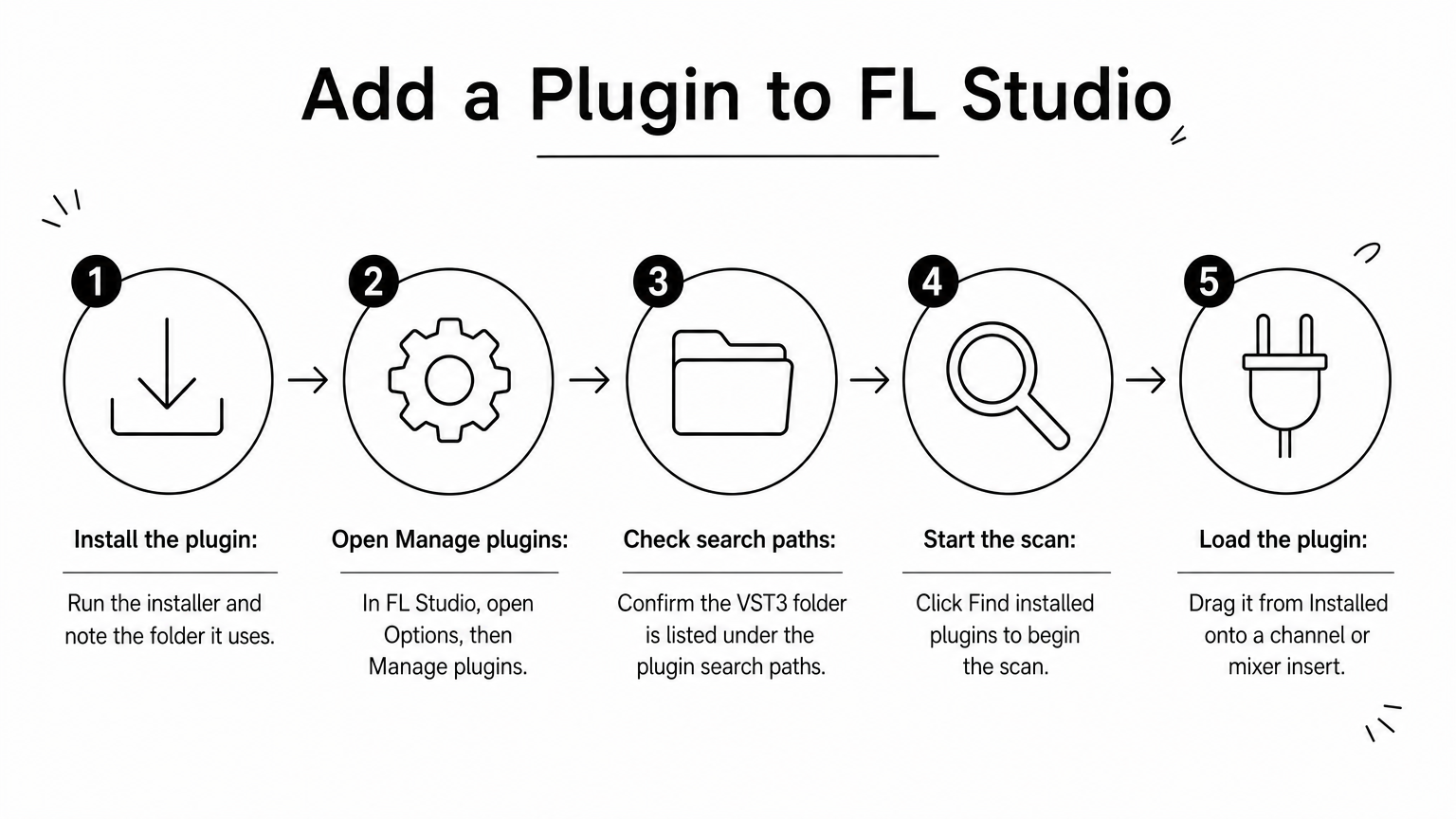
- Install the plugin and note the folder it uses.
- In FL Studio, open Options, then Manage plugins.
- Check that the VST3 folder is listed under the plugin search paths.
- Click Find installed plugins to start the scan.
- Open the Plugin database in the browser, go to Installed, and drag the plugin onto a channel or a mixer insert.
If a plugin does not show up, rescan after restarting FL Studio, and confirm that you installed the 64-bit version.
Start with these five
These five plugins cover the core of a track: Vital for synth sounds, LABS for acoustic instruments, Nova to shape tone, Supermassive for space, and SPAN to check the result. You do not need more to finish a song. Add plugins one at a time, learn each one properly, and download only from the developer’s own page. If you want to keep up with new plugin and software releases, visit Audios Torrent and check back as new versions appear.

